Domain Management
Connect your own domain name to your published sites for professional branding. Set up primary domains, aliases, and redirects.
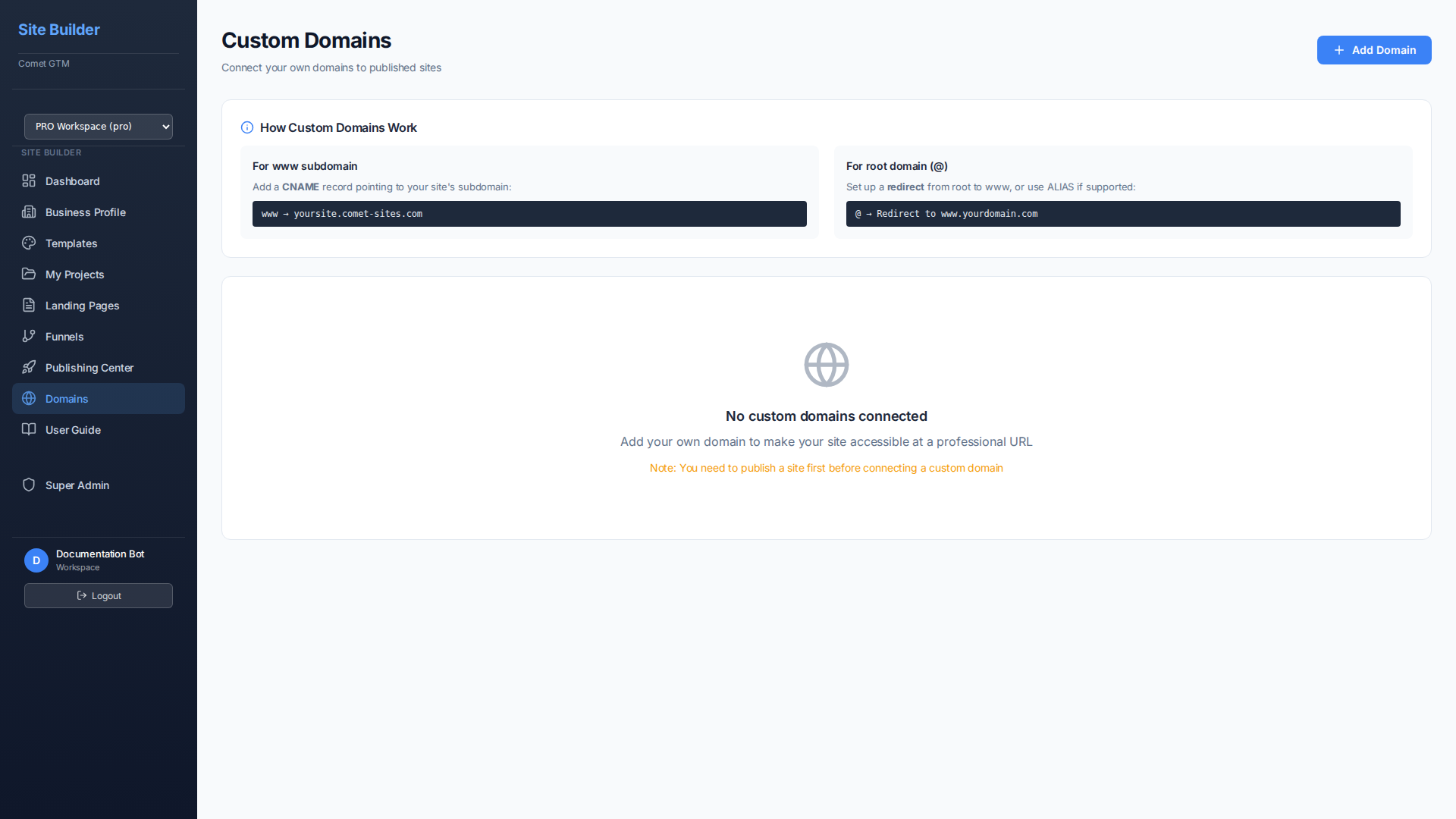
Finding Your Domains
The Domains page includes search, filters, and pagination to help you manage your custom domains efficiently:
Search and Filter Controls
- Search Box - Type to search by domain name or linked site name
- Status Filter - Filter by "All Status", "Verified", or "Pending DNS"
- Industry Filter - Filter domains by the SIC industry category of their linked sites (e.g., Construction, Services, Retail Trade)
- Clear Filters - Reset all filters with one click (appears when filters are active)
- Items Per Page - Choose to display 10, 15, 25, or 50 domains per page
- Pagination - Navigate between pages using the left/right arrows
Domain Types
| Type | Example | Description |
|---|---|---|
| Primary Domain | www.yourbusiness.com | The main domain for your site |
| Domain Alias | yourbusiness.com | Additional domains that serve the same content |
| Subdomain | your-site.comet-sites.com | Free subdomain included with all plans |
Setting Up Custom Domains
Go to Domains
Navigate to the Domains section in your Site Builder sidebar.
Add Domain
Click Add Domain, enter your domain name (e.g., www.yourbusiness.com), and select the published site to connect it to.
Select Your DNS Provider
Choose your DNS provider from the dropdown (Cloudflare, GoDaddy, Namecheap, Squarespace, Google Domains, or Other). You'll receive step-by-step instructions specific to your provider.
Configure DNS Records
Follow the provider-specific instructions shown on screen. Copy the DNS record values using the copy buttons and add them to your domain registrar's DNS settings.
Verify Connection
Click Verify to check your DNS configuration. DNS propagation may take up to 48 hours, though it's usually much faster.
Supported DNS Providers
The Domains page provides step-by-step setup instructions for these popular DNS providers:
- Cloudflare - With proxy mode guidance for optimal setup
- GoDaddy - Step-by-step DNS management instructions
- Namecheap - Advanced DNS configuration guide
- Squarespace Domains - Custom records setup steps
- Google Domains - DNS settings walkthrough
- Other Providers - Generic instructions for any registrar
DNS Configuration
Add these records at your domain registrar (GoDaddy, Namecheap, Cloudflare, etc.):
For Subdomains (www.yourdomain.com)
| Type | Name | Value | TTL |
|---|---|---|---|
| CNAME | www | sites.comet-gtm.com | 3600 |
For Root/Apex Domains (yourdomain.com)
| Type | Name | Value | TTL |
|---|---|---|---|
| A | @ | 45.76.116.198 | 3600 |
Redirects
Set up redirects to manage traffic between domains:
| Redirect Type | Use Case | SEO Impact |
|---|---|---|
| 301 (Permanent) | Permanently redirect one domain to another | Passes SEO value to destination |
| 302 (Temporary) | Temporarily redirect during maintenance | Does not pass SEO value |
SSL Certificates
All custom domains automatically receive free SSL certificates:
- Automatic HTTPS - SSL is provisioned automatically via Cloudflare/Let's Encrypt
- Auto-Renewal - Certificates renew automatically before expiration
- Secure by Default - All traffic is encrypted with TLS 1.2+
- HTTP to HTTPS - All HTTP requests are automatically redirected to HTTPS
Domain Status
| Status | Meaning | Action |
|---|---|---|
| Pending | Waiting for DNS verification | Add DNS records and wait for propagation |
| Verifying | Checking DNS configuration | Wait for verification to complete |
| Active | Domain is connected and working | No action needed |
| Failed | DNS configuration incorrect | Check DNS records and retry |
Troubleshooting
Domain Not Connecting
- Double-check DNS records match exactly what's shown
- Ensure there are no conflicting records (multiple A or CNAME for same name)
- Wait 24-48 hours for DNS propagation
- Use a DNS checker tool to verify records are visible globally
SSL Certificate Issues
- SSL provisioning can take up to 24 hours after domain verification
- Ensure no CAA records are blocking certificate issuance
- Check that your domain isn't on any blocklists
- Contact support if SSL doesn't provision within 48 hours